Role mapping
In case you have central directory services, such as Active Directory, you can enable synchronization between such directory and the Q-net Pro V7 server. This will enable a query based synchronization, where the Q-net server will automatically pull data from the directory service and assign roles based on the configured settings. Furthermore if you have an OAuth service provider, you may configure it as the service that will provide authentication.
To configure Role mappings, first you have to enable LDAP authentication type. Select External systems in the central administration view and then select the Authentication tab.
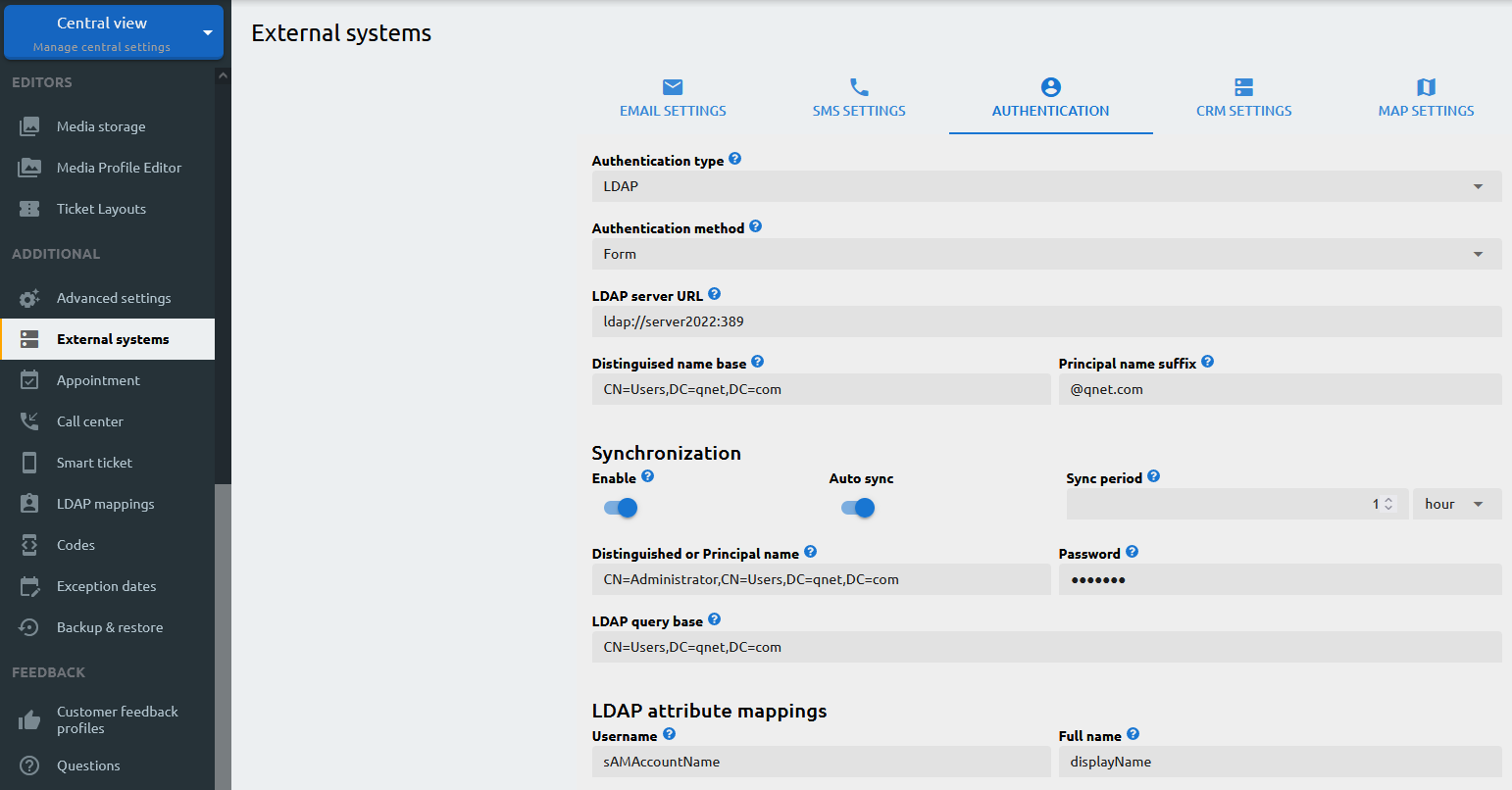
Once you have enabled the LDAP authentication type and configured accordingly, you can set the mappings based on your requirements.
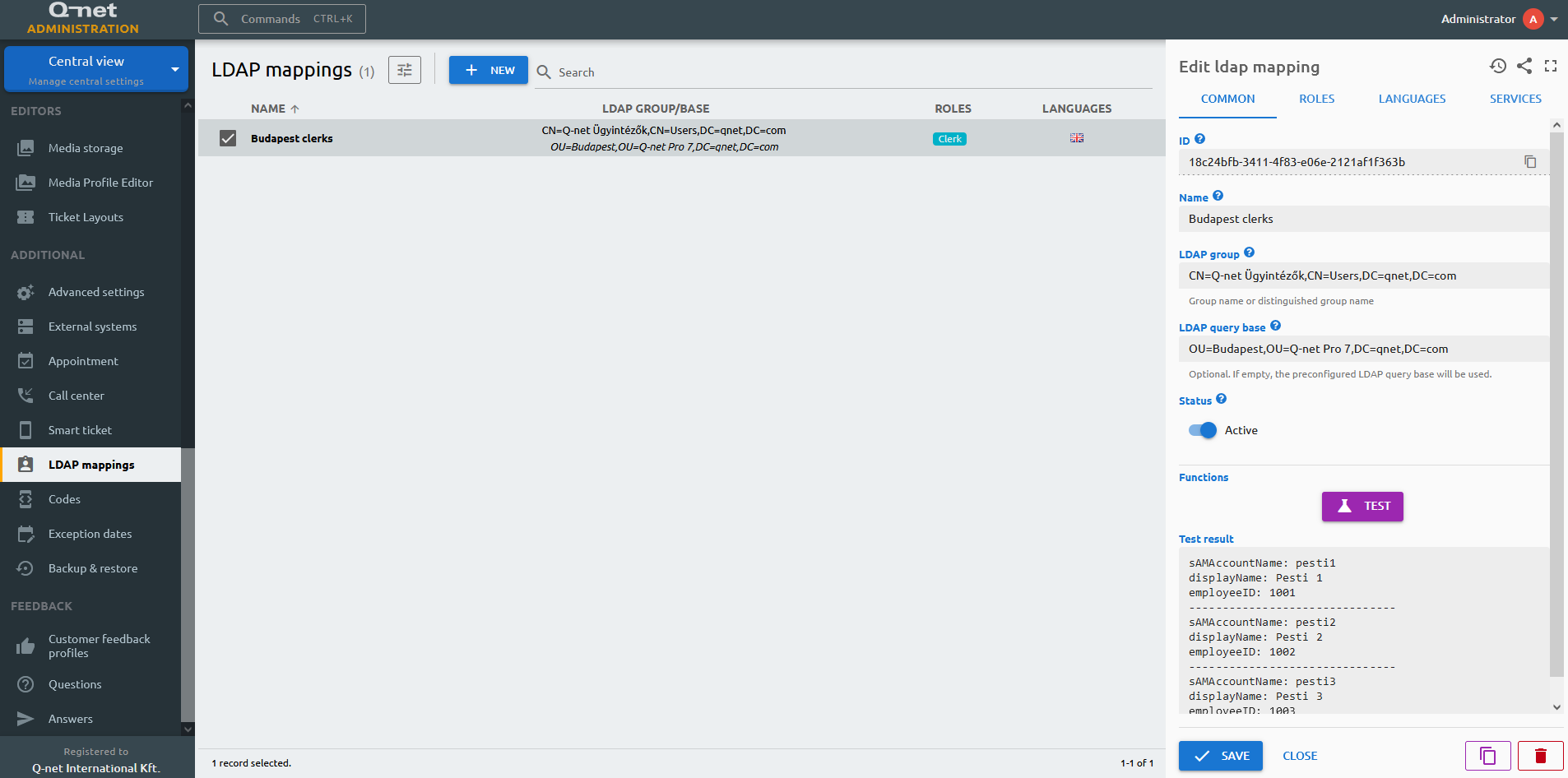
Fill the LDAP group / OAuth role name which will be the basis of the query. The LDAP query base is optional and defines the part of the directory tree that is searched for this mapping. If you fill it in, only members of the LDAP group that are located under the specified container or organizational unit are synchronized. If you leave it empty, the query base configured on the Authentication tab is used instead. Example: you specify an organizational unit that holds the users of a single geographic location. Even though the LDAP group spans several locations, only the members that also reside under that organizational unit are synchronized by this mapping.
The Roles tab enables to specify the roles that will be assigned for the users incorporated in the LDAP query. Whenever a new user is created in the AD group, it will be synced to the Q-net server and will be provided those roles that are selected here. However, for the Languages and Services settings, please note that any modification you would make, it will be only applied to those users, who have been added after the modification is saved, and not to those, who are already members of the mapped group.