Service Matrix
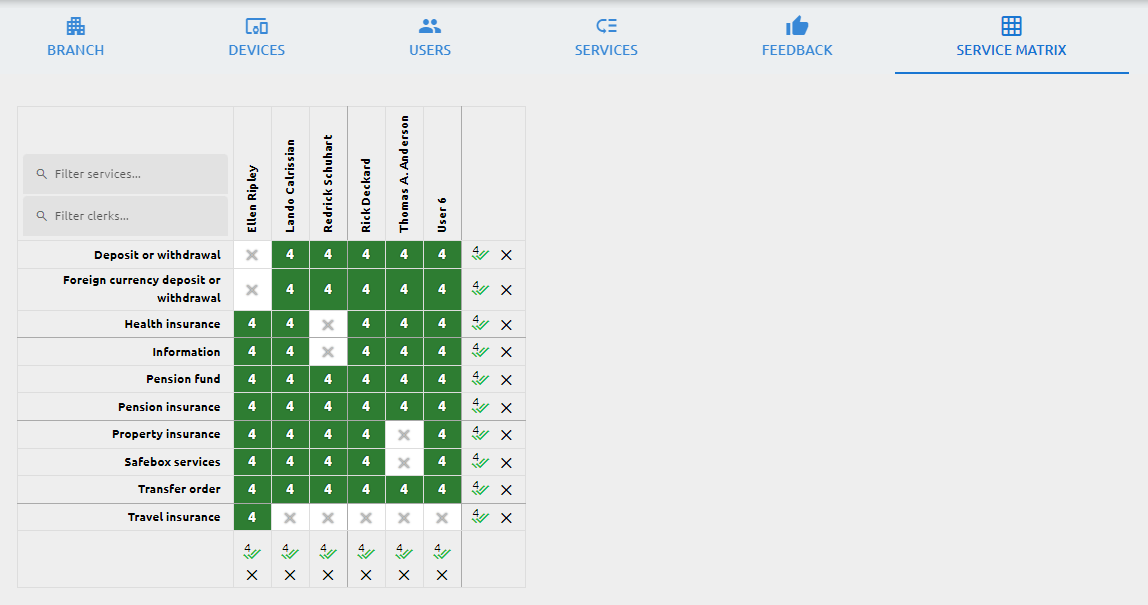
The service matrix determines which user can serve which service. Click a cell to assign a service to a clerk or to remove it. You can also set different precedence levels: right-click a cell and choose a level (4 is the highest), so that a clerk calls the highest-precedence services first and only handles lower-precedence ones when no higher-precedence clients are waiting. The basic view shows only the clerk matrix; the assignment of services to the physical workstations is handled automatically. If you need to control which services are available at each individual workstation, switch to the advanced view. More information about the service matrix and its advanced configuration can be found here: Service matrix