Display Groups
Setting up the display groups
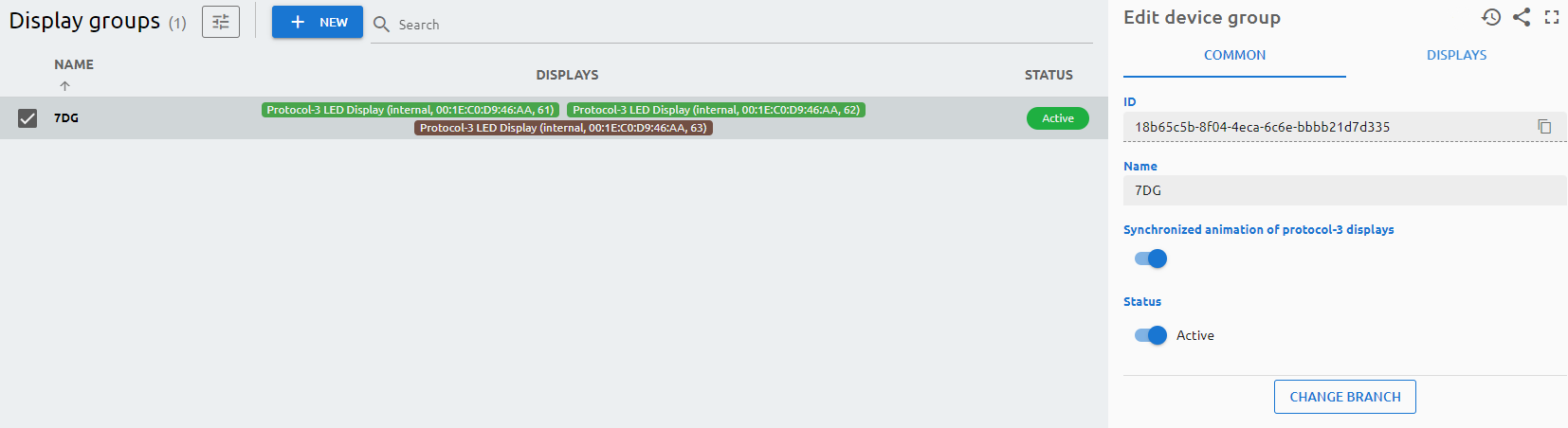
Displays can be grouped together in display groups, they can be functioning as waiting area displays.
Each media player should be assigned to a display group individually.
Parameters
Common
ID
The ID is given by the system and is required for internal processes, and can serve purposes for debugging in case of issues.
Name
The Name is a user-given name.
Synchronized animation of protocol-3 displays
In case of protocol-3 displays, if they’re grouped together, the animation will be synchronized in case of calling tickets as the content will be moved between the connected displays.
Status
Active/Inactive switch to determine if the device should be used in any service.
Displays
Select those displays which will be part of the display group. You can rearrange the order by dragging and dropping the displays.