Ticket Dispensers
Configuring the ticket dispensers
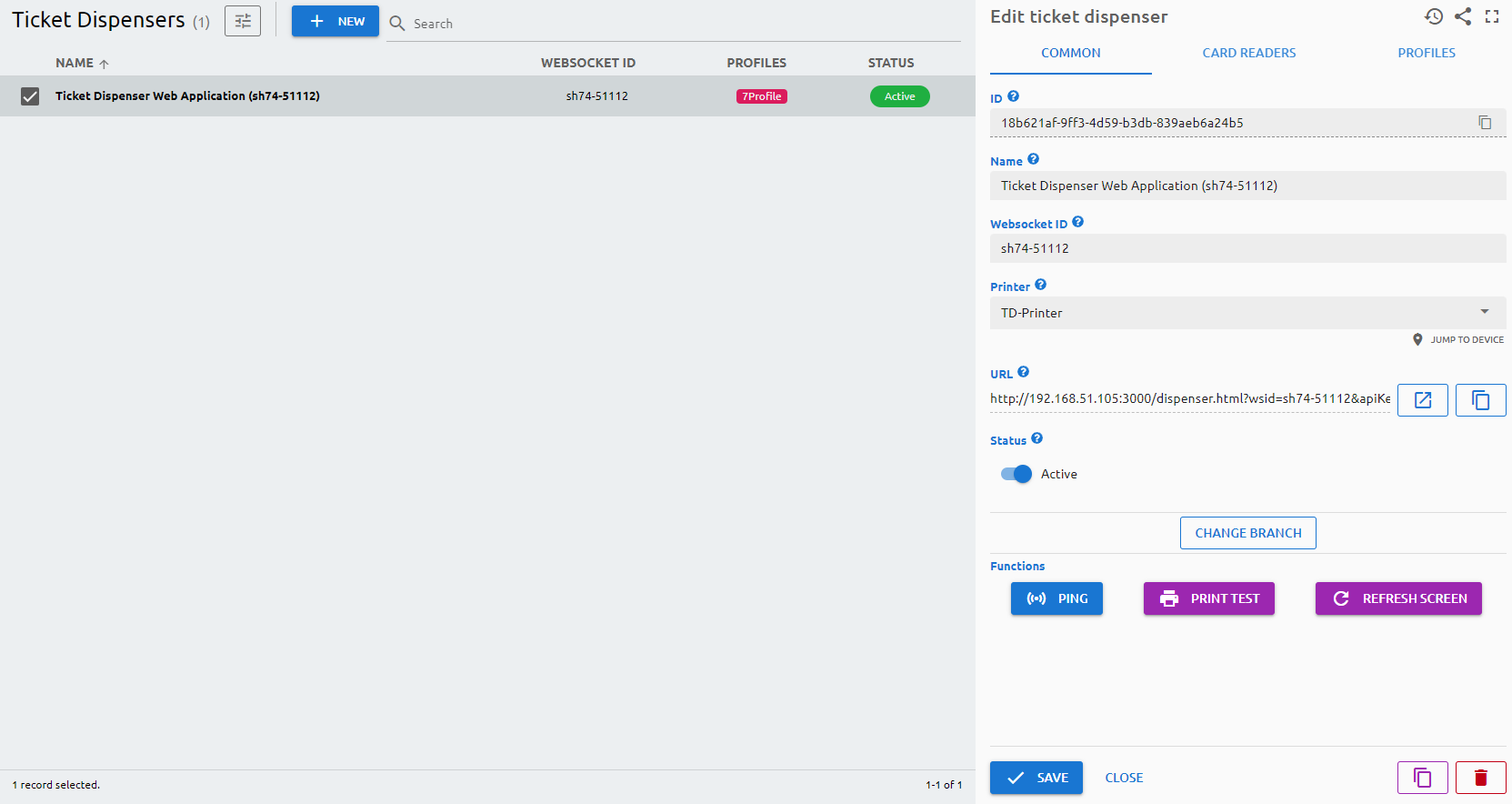
The main element of the system, you can configure the ticket dispenser on this page.
Parameters
Common
ID
The ID is given by the system and is required for internal processes, and can serve purposes for debugging in case of issues.
Name
The Name is a user-given name.
Websocket ID
The Websocket ID (or WSID) is the unique identifier of the ticket dispenser.
Printer
Select the printer which is being used by the ticket dispenser. In case of paperless ticket dispenser, no printer should be selected.
URL
You can reach the ticket dispenser via a browser by navigating to this URL. Please note: you have to add to the end of the URL the technical user’s API key.
Status
Active/Inactive switch to determine if the device should be used in any service.
Card Readers
Available card readers
Assigned card reader which will be paired with the ticket dispenser.
Profiles
You can select and assign the ticket dispenser profile here. Press the + button to select the profile you want to add. You can extend or shorten the duration of the profile on the given day by dragging the edges of the label. By right-clicking on the label, you can clone all profiles of that day to every day of the week, delete just the selected profile, or delete all profiles assigned to that day.
Functions
- Ping: to check if the device is online and reachable in the network.
- Print Test: to print a test ticket on the printer which is assigned to the ticket dispenser.
- Refresh Screen: refresh the screen of the ticket dispenser
- Re-pair: pair the ticket dispenser with the system again