Feedbacks
Configuring the feedback devices
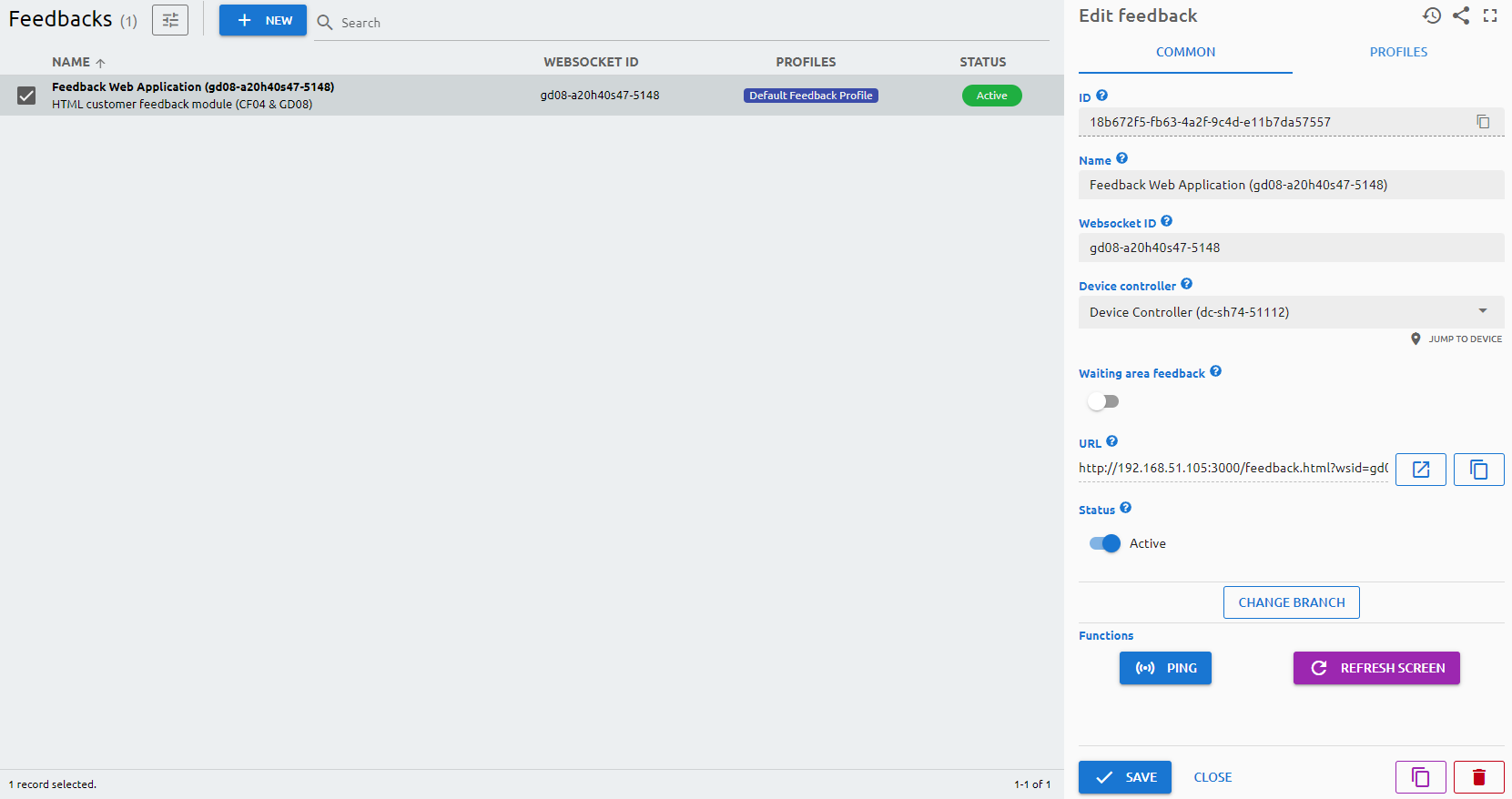
You can add and configure the customer feedback devices here.
Parameters
Common
ID
The ID is given by the system and is required for internal processes, and can serve purposes for debugging in case of issues.
Name
The Name is a user-given name.
Websocket ID
The Websocket ID (or WSID) is the unique identifier of the feedback device.
Waiting area feedback
Enable this if you have a single feedback device in the waiting area, on which all clients can give feedback.
URL
You can reach the feedback device via a browser by navigating to this URL. Please note: you have to add to the end of the URL the technical user’s API key.
Status
Active/Inactive switch to determine if the device should be used in any service.
Profiles
You can assign a profile to customize the questions\answers and the appearance. You can assign multiple profiles per day. By right-clicking on a profile in the grid you can clone that day's profiles to every day, delete the selected profile, or delete all profiles of that day.
Functions
- Ping: to check if the device is online and reachable in the network.
- Re-pair: pair the feedback device again, for example after replacing or re-installing it.
- Refresh Screen: refresh the screen of the feedback device.