Unassigned devices
The configuration of the system devices can be done by following two different logics;
- Configure the devices on the admin page in advance, with their final identifiers, and set the same IDs on the devices as well. This way when they are connected, they will work immediately.
- Or configure the devices first by adjusting their connection parameters (server host, wsid). When they are connected to the server, they will be "unknown" for the application as the server side configuration is missing. This "Unassigned devices" page collects those devices, which were detected, but not assigned to any branch yet.
When you select an item in the list there are basically two options on the entity panel: assign it to a branch and enable / disable the device. After selecting a branch for the device and saving the settings, the item will disappear from the list and the further configuration of the device can be done at the settings of the particular branch, under the correct device category.
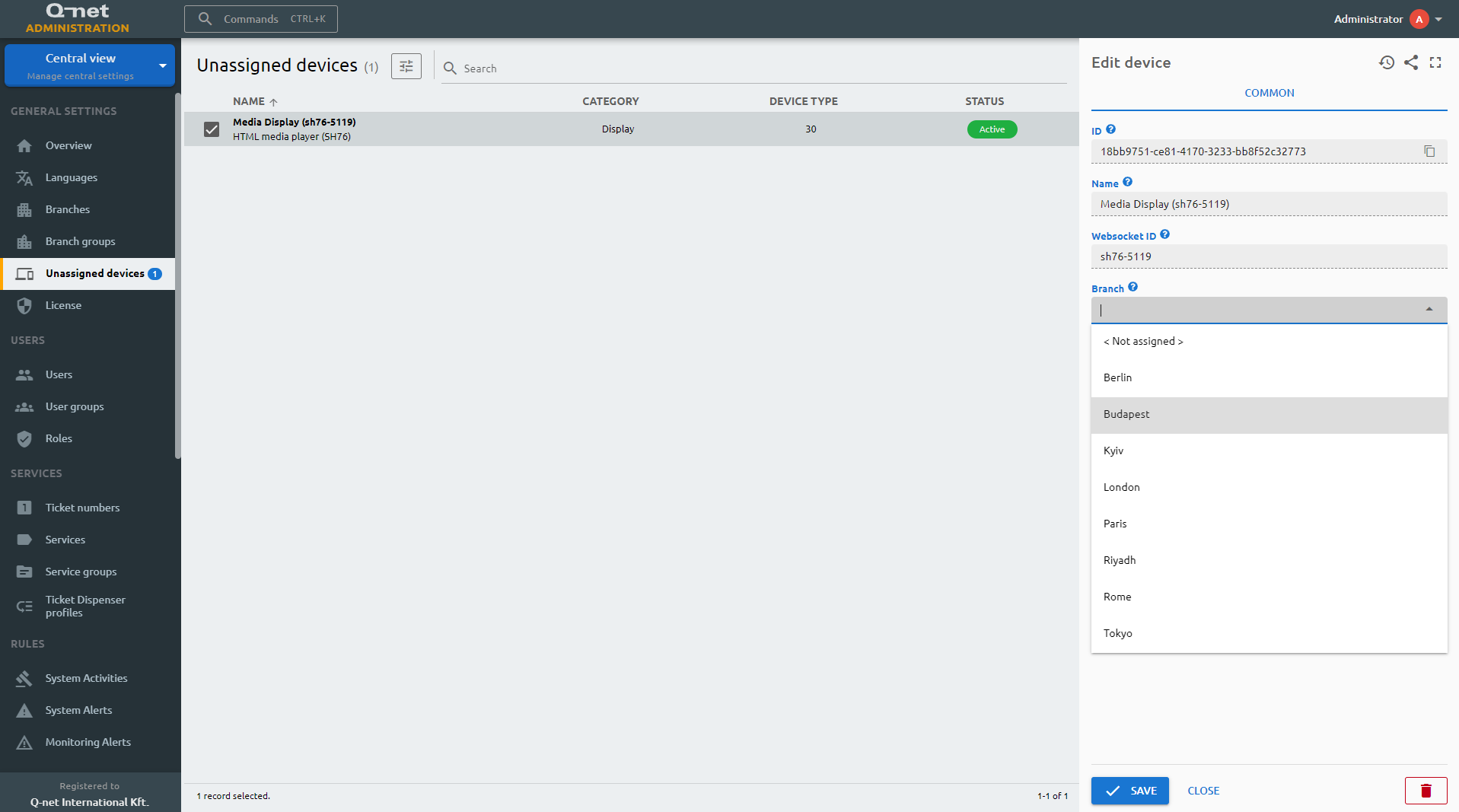
ID
The ID is given by the system and is required for internal processes, and can serve purposes for debugging in case of issues.
Name
The user-given name of the device, can be changed if the device is assigned
Websocket ID
The Websocket ID (or WSID) is the unique identifier of the device.
Branch
Select a branch to assign this device.
Status
Active/Inactive switch to determine if the device should be used in any service.